Deploying your Microservices Architecture App in App Platform using Managed Kafka


By Mavis Franco and Blesswin Samuel
- Published:
- 3 min read
Microservices Implementation
Microservices architecture apps are characterized by organizing application components in such a way that they can be developed, tested, deployed and scaled separately. App Platform aims to make this model seamless by allowing the user to add multiple components on the same app.
A simple microservices architecture app may have a two components:
- Web service API that receives a request, publishes a message to a distributed event processing platform such as Kafka, and returns a response to the user immediately without waiting for the processing to finish. The user can later poll for a response status. This pattern provides a better user experience in terms of responsiveness to user requests. This component can be deployed in App Platform as a service component type.
- Backend processing service that listens to events from a distributed event processing platform. This component can be deployed as a worker component type that consumes the message and does the business logic needed to fulfill the user request.
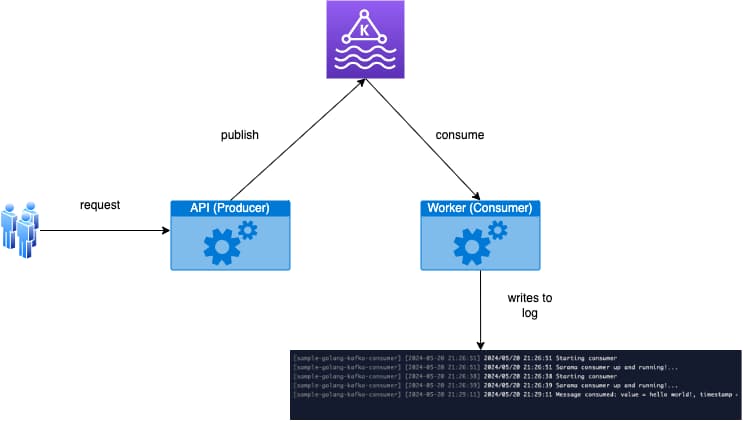
This type of microservices architecture allows developers to scale the web service API (producer) and the backend processing service (consumer) separately to meet application demands. For example, the backend service processing may be CPU resource intensive and benefit from a Dedicated CPU instance that can autoscale based on demand. On the other hand, the web service API may perform well with a Shared CPU instance with a fixed scale of 2 for redundancy.
Managed Kafka Integration
App Platform support for apps with multiple components enables the producer and consumer pattern that microservices architectures need. However, we take it a step further to simplify the developer journey by implementing a seamless integration with DigitalOcean Managed Kafka Offering. More details on the integration can be found in here.
App Platform’s Kafka integration allows you to attach Kafka instances to your app and simplifies the environment variable configuration needed to connect to Kafka. This allows you to focus on building your app and not worry about the infrastructure setup.
Our goal is to make this as DO Simple as possible, here are the steps. Try it and let us know what you think!
Step 1 - Configuring a Managed Kafka instance
Instructions on how to deploy a managed Kafka can be found here. A topic is also required in order to publish and consume messages.
Step 2 - Deploy Your App
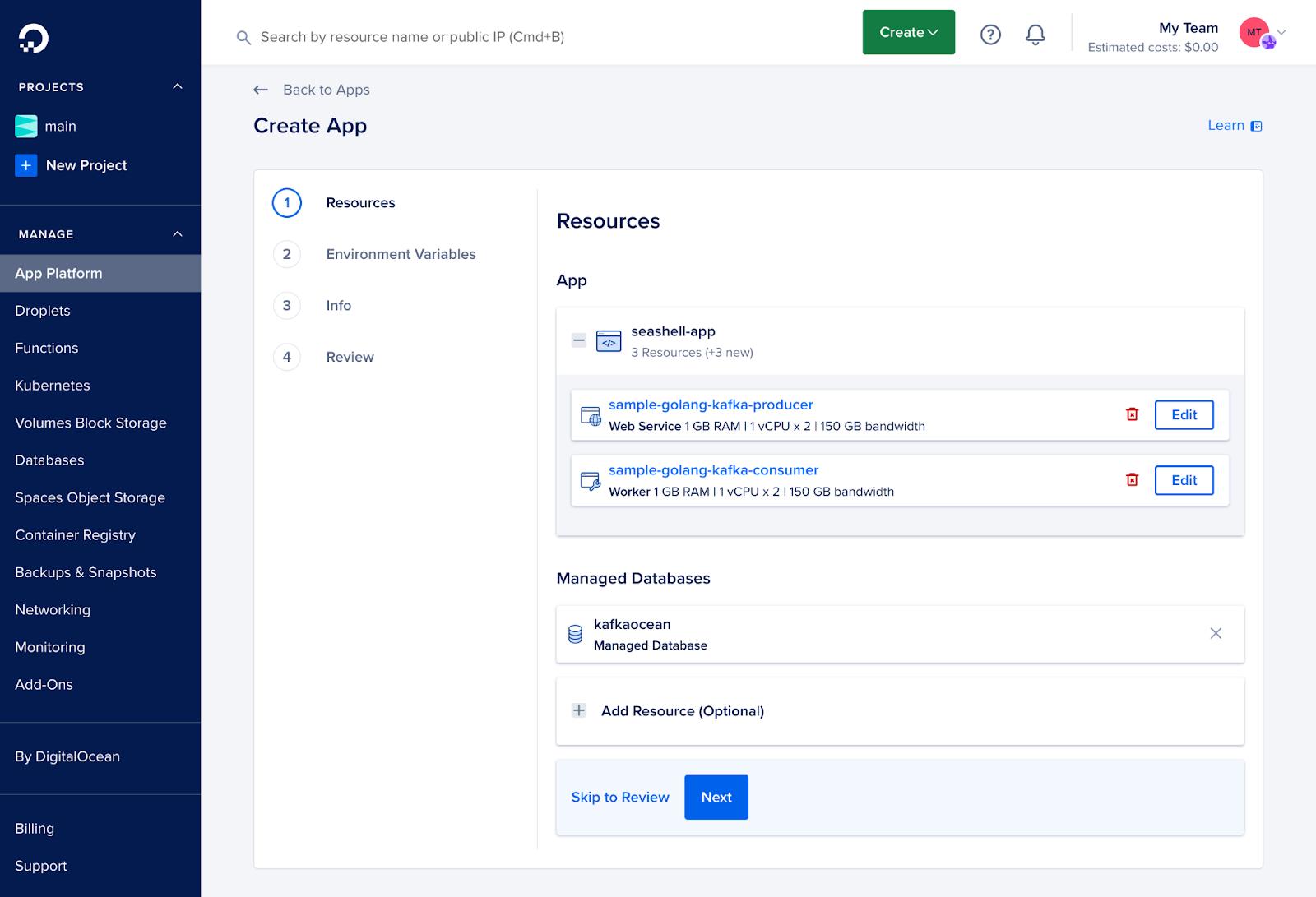
Deploy your app with 3 components. Here is a sample repo sample-golang-kafka repository
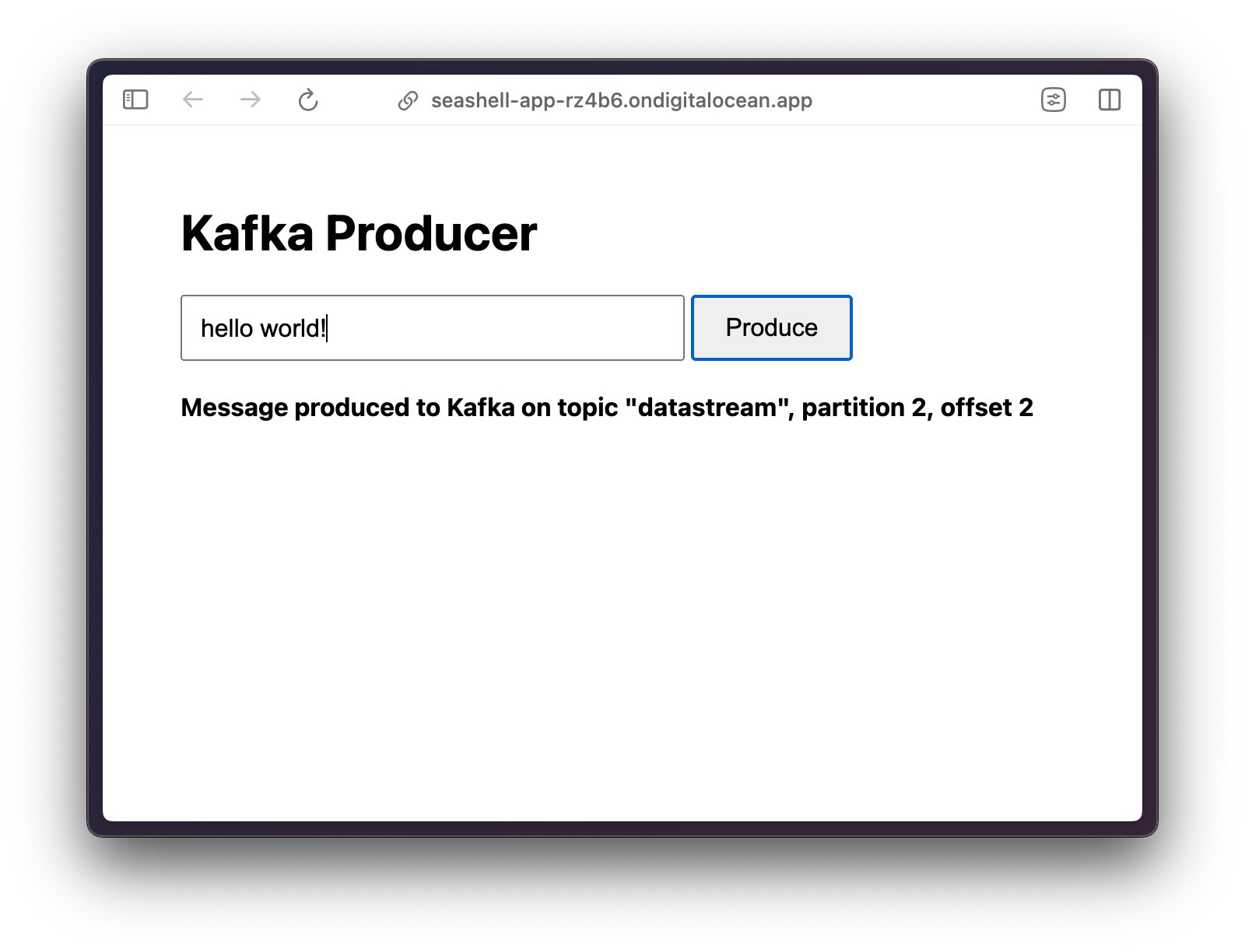
- Producer: You can find the producer on the /producer directory of the repo. The producer is a HTTP API that publishes the request body to Kafka, and it also includes a web interface to make HTTP requests to produce messages.
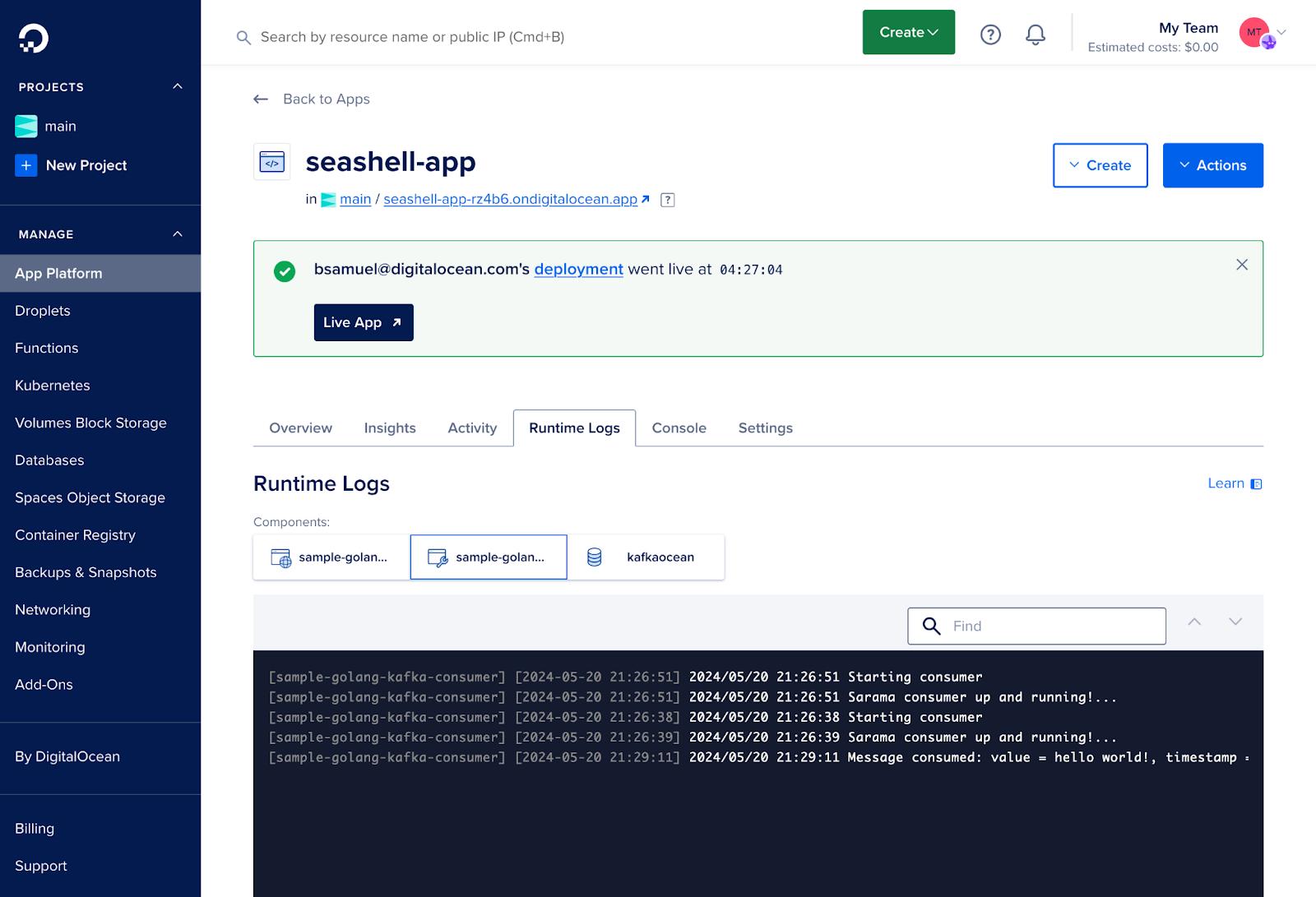
- Consumer: You can find the consumer on the /consumer directory of the repo. The consumer is a worker that listens to events from Kafka and prints the messages.
- Managed Kafka: This is the managed Kafka instance created in Step 1.
Here is how your app would look like. Notice the producer is a web service and the consumer is a worker.
Also, in order to ensure your application can connect to Kafka correctly, the following environment variables are needed.
UnsetKAFKA_BROKER=${kafkaocean.HOSTNAME}:${kafkaocean.PORT}
KAFKA_USERNAME=${kafkaocean.USERNAME}
KAFKA_PASSWORD=${kafkaocean.PASSWORD}
KAFKA_CA_CERT=${kafkaocean.CA_CERT}
KAFKA_TOPIC=datastream
Step 3 - Test Your App
There is a web UI included in the sample app to produce a message. The text you entered in the UI can be seen in the runtime logs of the consumer component.
What is Next?
In the interest of being iterative in our value delivery to you, we released the Managed Kafka integration with App Platform as Beta. But we are not going to stop there!
We’ll be looking at ways to secure Kafka with Apps connections and improving the user experience on the environment variables setup.
Currently, we recommend using Dedicated IPs to secure your Managed Kafka instance to only accept connections from your application.
Have ideas on how to improve this integration further? Please reach out to our support team.
For detailed information on App Platform’s features and capabilities, visit the App Platform product page. To explore pricing options, or the free tier, visit the App Platform pricing page.
Happy coding! App Platform Team
About the author(s)


Related Articles
Under the Hood: Serving Kimi K3
Jonathan Dieu
- July 30, 2026
- 12 min read

The Inference Alpha: Maximizing Frontier Models on AMD
Balaji Varadarajan
- June 10, 2026
- 12 min read
The Inference Tax: How Prefix-Aware Routing Eliminates the Hidden Cost of LLMs at Scale
- June 1, 2026
- 13 min read